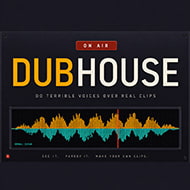








What happens when everyone in a DUBHouse lobby finishes their line at different speeds?
Nothing stalls, and that’s the part people don’t expect the first time they play. In DUBHouse, each player records their own character’s dialogue independently, and the game doesn’t hold the group hostage waiting for the slowest person to nail a take. It waits until the last recording lands, then quietly assembles every performance into one finished video, and only then does the whole lobby watch it back together, at once, in the order the scene actually plays.
Setting Up a DUBHouse Lobby From the Host Side
Hosting is a one-button decision, but the choices after that shape the whole session. The host opens a lobby, and DUBHouse displays a local address on screen that everyone else types in to join — that’s the entire connection process for players on the same network. There’s no account creation and no sign-in screen slowing that down, which matters more than it sounds like it should for a party game where half the appeal is getting a session running before people lose interest.
Once players are in, the host picks which scene loads. Since DUBHouse ships with zero pre-built scenes, that scene either comes from the host’s own Clip Maker project or from a compatible pack someone dropped into the scenes folder ahead of time. Either way, guests who don’t already have that specific scene on their machine aren’t stuck — a Download this pack from the host button pulls it automatically, so the importing work only ever falls on the host.
Session length runs short by design. A single scene plays out in a few minutes from claiming characters to watching the final mix, which is part of why New scene resetting the whole group at once, rather than requiring everyone to individually re-ready, matters as much as it does — friction between scenes is the fastest way to kill momentum in a party session.
Character Claims and Why They’re Permanent for the Scene
Every player in a DUBHouse lobby claims one character before recording starts, and that claim holds for the entire scene — there’s no swapping mid-way or splitting a character’s lines across two players. This is a small rule with a real effect on how groups actually play: it means a scene with four characters caps naturally at four active recorders, with anyone beyond that watching and voting rather than performing, even though DUBHouse supports up to eight players in a lobby overall.
Beginners tend to make one specific mistake here — claiming a character with the most lines because it seems like more fun, then discovering mid-recording that more lines means more chances to get the sync wrong against the scope. Players who’ve done a few sessions gravitate toward characters with fewer, punchier lines early on, and save the dialogue-heavy roles for once they’ve got a feel for the scope’s timing.
The Scope, the Count-In, and Actually Landing a Line
DUBHouse displays the original line’s waveform above your own as you record, live, on the same timeline — that’s the scope, and it’s the single tool that separates a take that syncs from one that’s visibly off. Reading it well takes maybe two or three scenes before it clicks. The count-in gives a beat of warning before the line starts, and pairing that with a slightly higher input gain setting in audio settings tends to fix the “came in half a second late” problem that shows up constantly in first-time recordings.
- Watch the clip once before claiming to record, since DUBHouse plays it once for the whole lobby before anyone starts.
- Use the count-in rather than guessing your entry point off memory.
- Check the scope after your first take — if your waveform trails noticeably past where the original line’s waveform ends, that’s the fix to make before hitting Record again.
Noise suppression runs quietly in the background through all of this. It samples about two seconds of room noise before you start talking, learns the specific hum of your fan or PC rather than applying a generic filter, and DUBHouse’s own documentation puts the ceiling at 42 dB of noise removed that way. Voice matching handles the other common problem — one player’s mic running noticeably louder than another’s — by leveling everyone out in the final mixed video rather than leaving one performance to drown out the rest.
Building Scenes in the Clip Maker Instead of Waiting for Packs
The honest tradeoff with DUBHouse is that it arrives with no content of its own — every scene either comes from a pack or gets built from scratch in the Clip Maker, which is still labeled beta. Dropping in a video, marking where each line starts and ends, and naming the characters is straightforward enough, but the beta tag shows in small ways players have flagged in the game’s own community space, particularly around import behavior.
What the Clip Maker does well is isolating dialogue from everything else in the clip. Music and background sound keep playing underneath the gap where a line used to be, instead of the scene going dead silent, because the tool lifts just the voice out rather than muting the whole track. That one feature is what makes homemade scenes feel like they belong in the same game as anything else, rather than a rough workaround.
Playing DUBHouse With People Who Aren’t on Your Network
The local address only works for players sharing a network with the host, so remote groups route through a shared VPN — Radmin, Tailscale, and Hamachi are the three named directly in DUBHouse’s setup notes. The host reads out the VPN-assigned address instead of the raw local one, and needs to allow a firewall prompt once for other players to actually reach the lobby. After that first prompt, joining works the same way it would over a local network.
None of DUBHouse’s individual pieces — the scope, the count-in, noise suppression — would matter much on their own. What makes a scene worth playing is still the same thing it was the first time you claimed a character and watched the mixed video land in front of the whole lobby at once, waveform sync and all.